Office ergonomics matters more to most employees than designer furniture and lounge areas. A good-looking office that gives people sore shoulders, is too noisy or has stale air becomes an office people avoid, especially when working from home is always an option. This article covers what the Swedish Work Environment Authority (Arbetsmiljöverket) requires, what an ergonomic workstation looks like in practice and what actually makes people enjoy coming to work.
Why good-looking furniture is not enough
For years companies invested in designer furniture and carefully chosen details to signal culture and appeal. Since the shift to hybrid work, the office competes with the home, and the choice comes down to everyday things: can I sit comfortably, hear myself think and find a room for a call?
Three things tend to matter most:
- A work environment that really works: ergonomics, sound, air and light.
- Flexibility: being able to choose where and how to work depending on the task.
- Community: colleagues are often the main reason to come in.
Good interior design can strengthen all of this, but it cannot replace it.
Office ergonomics: what are the rules?
Short answer: the employer is responsible for making the workplace ergonomically sound and for regularly assessing the risks. Since 1 January 2025 the rules sit in Arbetsmiljöverket's new structure of provisions. The most important ones for office work are:
| Provision | What it covers in the office |
|---|---|
| AFS 2023:2 | Planning and organising work environment management, including workload, working hours and victimisation |
| AFS 2023:10 | Risks in the work environment, including musculoskeletal load (ergonomics) and noise |
| AFS 2023:11 | Work equipment, including the use of display screens |
| AFS 2023:12 | Workplace design: daylight and a view, lighting, air quality, ventilation and staff facilities |
The workstation: desk, chair and screen
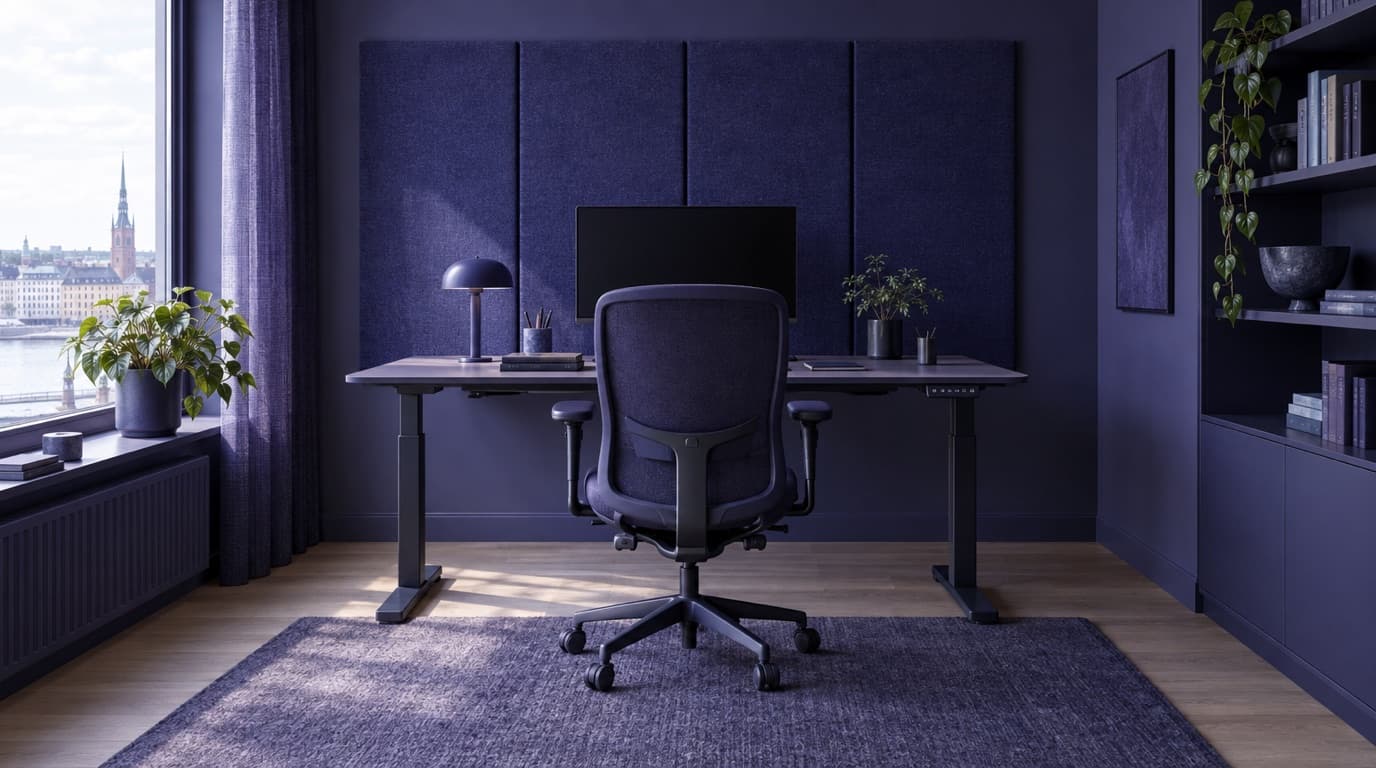
An ergonomic workstation can be adjusted to the person using it. In practice that means:
- A sit-stand desk so people can alternate between sitting and standing.
- A chair with adjustable seat height, seat depth and backrest. Feet should reach the floor or a footrest.
- A screen with its top edge roughly at eye level and about an arm's length away. Anyone working on a laptop needs an external screen, keyboard and mouse.
- Lighting that does not glare and no strong reflections on the screen.
Variation matters most. Even a perfectly adjusted chair becomes a problem if you sit still in it all day.
Screen work and eye tests
Anyone who normally works at a display screen for more than an hour a day must be offered an eye test by the employer, and the employer pays for special work glasses if they are needed. The rules are in AFS 2023:11, and Arbetsmiljöverket explains them on its page about eye tests and glasses for screen work (in Swedish). Many companies miss this, especially when they grow quickly.
Musculoskeletal load in everyday work
Musculoskeletal ergonomics is about how the body is loaded by postures and movements. In offices it is rarely heavy lifting and more often static sitting and repetitive mouse and keyboard work. Under AFS 2023:10 the employer must assess and address such risks. Simple measures include standing meetings, meeting rooms with standing tables and placing printers and the kitchen a short walk from the desks.
The office work environment: sound, air and light
Ergonomics is about more than furniture. The physical work environment in the office is largely determined by the premises:
- Sound. Noise and chatter are the most common complaint in open-plan offices. Sound absorption and enough small rooms do more than almost anything else. We cover acoustics in detail in our guide to furnishing an office.
- Air. Poor ventilation causes fatigue and headaches. AFS 2023:12 sets requirements for outdoor air supply, and ventilation must cope with the number of people who actually sit in the space.
- Light. Workplaces must be able to provide satisfactory daylight and a view. A deep space with few windows is hard to make good, whatever the furniture.
- Temperature. Ask how heating and cooling are controlled and whether they can be adjusted per zone.
Much of this is decided before you move in. Ventilation, windows and ceiling height can rarely be changed, so ask at the viewing and write key requirements into the lease. How to do that is covered in our checklist for renting an office.
Wellbeing at work: flexibility and community
Wellbeing at work depends as much on the organisational and social work environment as on the physical one. AFS 2023:2 requires employers to counter unhealthy workloads and make clear that victimisation is not accepted. Beyond the rules, two things come up again and again when employees describe a good office.
Flexibility and freedom
For many, being able to shape their working day has become more important than how the office looks: choosing where to work and fitting hours around the rest of life. The office should make the day easier, not constrain it. An activity-based office with different types of workspace offers that choice on site too.
Community and culture
What many people miss at home is not the desk but the people. Informal conversations, learning from colleagues and a sense of belonging are often the office's most important function. That needs spaces that invite it: a kitchen where people actually stay, places to sit together and ideally shared days when the team is in.
Checklist: ergonomics and work environment in the office
- Every workstation has a sit-stand desk, an adjustable chair and a screen at the right height.
- New employees get help adjusting their workstation in their first week.
- Eye tests are offered to anyone working at a screen for more than an hour a day.
- There are quiet rooms and phone booths so nobody has to take calls at their desk.
- Ventilation and temperature are checked for the number of people actually on site.
- The work environment is reviewed regularly as part of systematic work environment management, together with the safety representative where there is one.
Frequently asked questions
What does Arbetsmiljöverket say about office ergonomics?
The employer must assess and address risks of musculoskeletal strain (AFS 2023:10), make sure screen work is properly arranged (AFS 2023:11) and ensure the premises have good light, air and design (AFS 2023:12). The rules have applied since 1 January 2025.
Are employees entitled to a sit-stand desk?
The provisions do not require a specific piece of furniture, but the workstation must be adjustable so the load is reasonable and people can vary their posture. In practice sit-stand desks are standard in most offices because they are the simplest way to meet that requirement.
Who pays for glasses for computer work?
The employer pays for the eye test for anyone who normally works at a screen for more than an hour a day, and pays for special work glasses if the test shows they are needed.
How do you improve wellbeing at work?
Start with the basics: sound, air, light and comfortable workstations. Then give people the freedom to choose a workspace based on the task, and create spaces and occasions where the team actually meets.
Looking for premises with good light, fresh air and room for both focus and collaboration? Tell us what you need and we will match you with the right office within 24 hours.